Product Tour
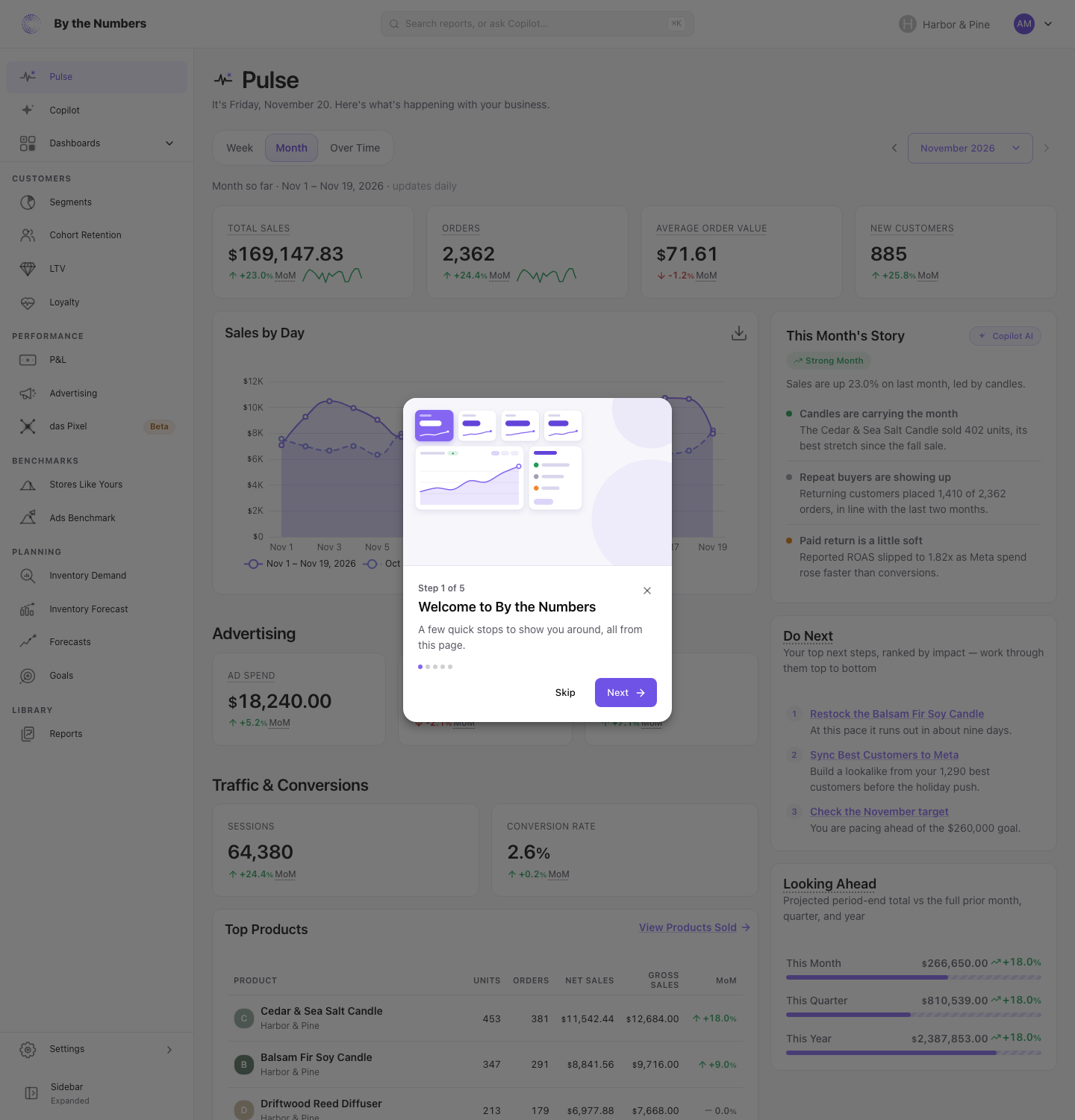
The product tour is up to 5 short cards that show you around By the Numbers from Pulse. It opens the first time you open Pulse. The tour is in beta.
How It Works
When It Starts
The tour starts by itself the first time you open Pulse, if you haven’t finished or skipped it. It runs once for each team member. A teammate who joins later gets their own tour.
While the tour runs, the navigation stays open, and the rest of the page is dimmed.
The Cards
All the cards stay on Pulse. Each card after the first spotlights one thing on the page:
- A welcome card in the middle of the page.
- The story Copilot writes about the period on Pulse, with your next steps below it.
- Copilot in the navigation, where you ask questions in plain English.
- Reports in the navigation, the library of every report.
- Settings in the navigation, where you find Integrations to connect your ad, email and analytics platforms.
Card 5’s Open Integrations button ends the tour and opens Integrations. If your store already has an ad platform and an email platform connected, the tour skips card 5 and has 4 cards.
Cards 1, 3, 4 and 5 show a picture of what they talk about, so you can see it without leaving Pulse. Card 3’s picture is a Copilot answer; the others are drawings.
Moving Through It
- Next or the right arrow key goes to the following card, and Back or the left arrow key to the one before.
- Skip, the × on the card, the Esc key, or choosing the dimmed part of the page ends the tour.
- Finish on the last card ends it.
Finishing and skipping both count as done. The tour doesn’t start by itself again after either.
Taking It Again
Choose the round icon with your initials, at the right end of the top bar, then Take the Tour. The tour starts from card 1 and takes you to Pulse if you’re on another page.
Page Tips
5 pages show one card the first time you open them, spotlighting the part of the page that matters most:
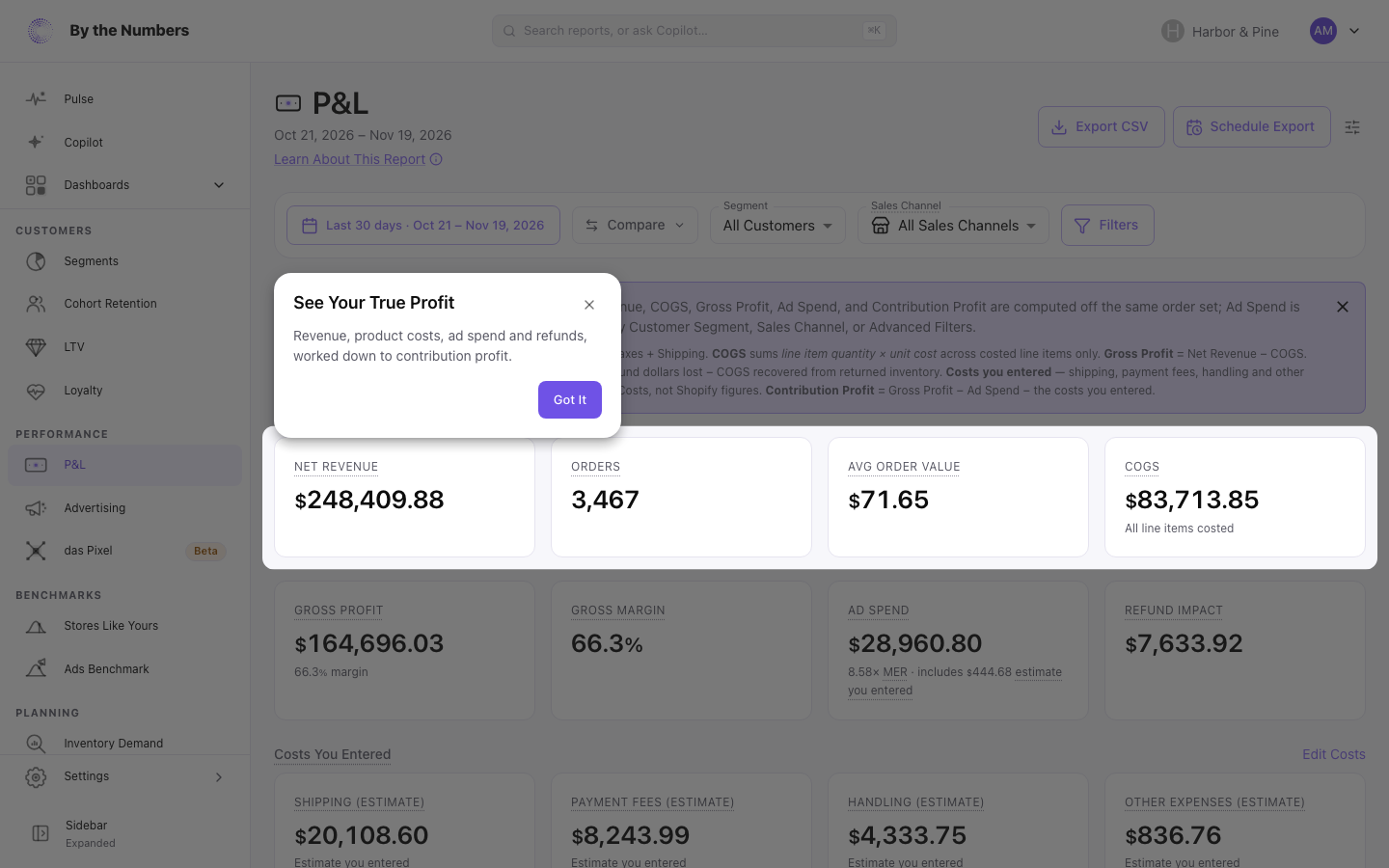
Got It, the ×, the Esc key or choosing the dimmed part of the page closes a tip, and it doesn’t show again. Each tip shows once for each team member. Tips show only in your first 30 days after your tour ends, or before you’ve taken it.
A tip waits up to 30 seconds for its part of the page to load. If the page has nothing to show yet, the tip doesn’t open, and it can open on a later visit.
What It Means for You
- Take the tour once. It shows where the main pages are in under a minute.
- Skip it if you know the app. You can take it again from the account menu.
- Read a page tip when it opens. It points at the part of that page to look at first.
- Look up a page later. Pulse, Copilot, the P&L and Customer Loyalty each have an article, linked above.
Related
- Universal Search: jump to any report or page by name.
- Pulse: the page the tour runs on.
- Copilot: ask questions about your store in plain English.
- How to Run a Report: open a report and set its date range.