Profit by Channel
Profit by Channel shows the gross profit each sales channel brought in, after the cost of the goods sold.
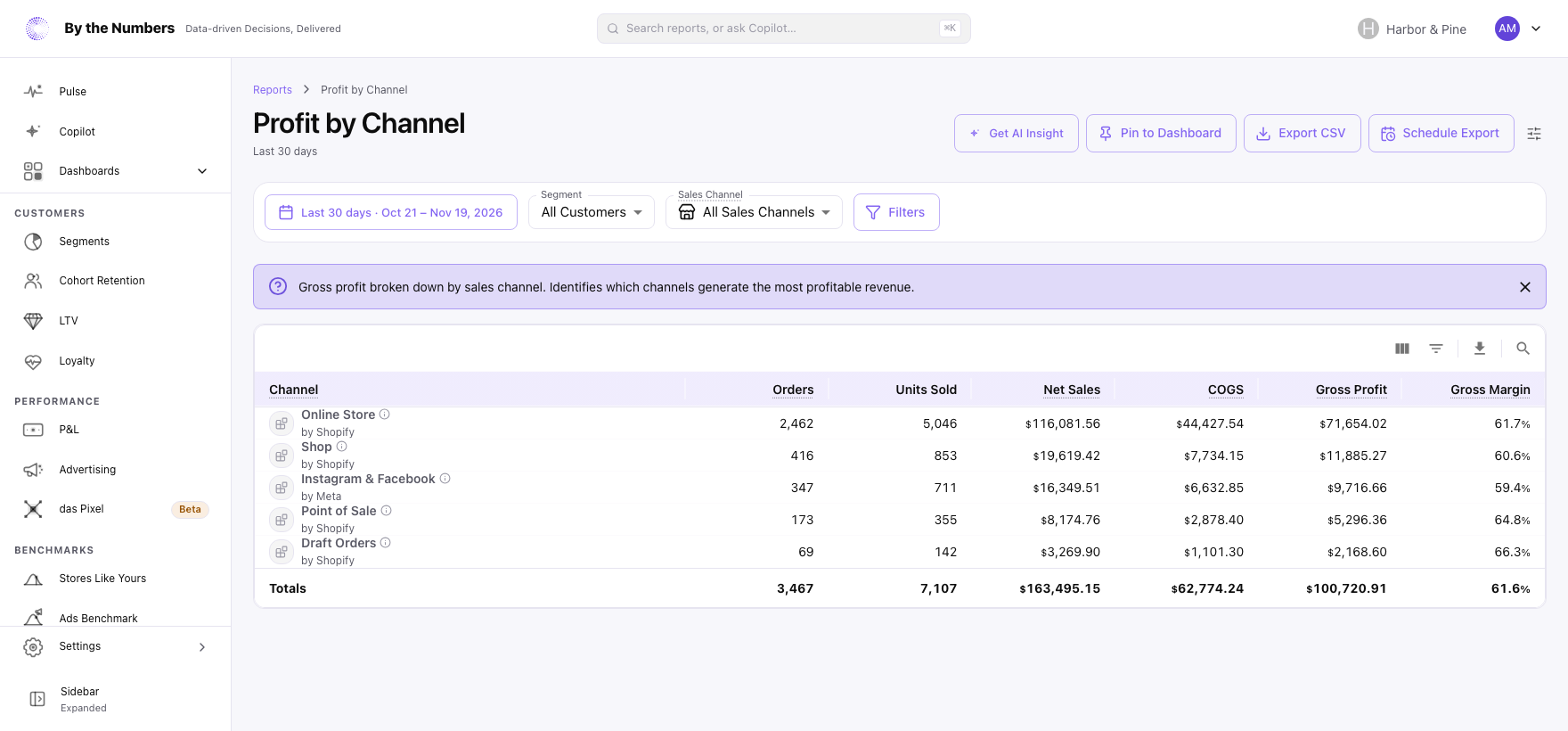
How It’s Calculated
The report is a table with one row per sales channel, which is the Shopify app that created the order. Rows are listed with the most gross profit first. A channel By the Numbers can’t name shows as Unknown App with its ID, and orders with no channel as Unknown.
The columns are:
- Channel: the sales channel the order came through.
- Orders: the number of orders from the channel.
- Units Sold: the number of units sold.
- Item Net Sales: what the items sold for, after discounts: price times quantity, less the discount on that line. It leaves out returns, shipping and tax.
- COGS: the cost of the goods sold, worked out as quantity × unit cost.
- Item Gross Profit: Item Net Sales less COGS.
- Item Gross Margin: Item Gross Profit as a share of Item Net Sales.
A totals row under the table adds up the rows. Show totals row in the Report settings menu turns it on or off for every report.
Item Net Sales here means something different from Net Sales in Total Sales. This one is only items less discounts. Item Gross Profit isn’t reduced by returns, and shipping and tax aren’t part of it.
Unit Costs
COGS uses each product variant’s Cost per item from Shopify. It uses the cost set today, not the cost when the order was placed.
A unit whose variant has no cost counts as zero cost, so Item Gross Profit and Item Gross Margin are too high where costs are missing. This report has no Cost Coverage column. Unit Cost Coverage shows what’s missing.
What Counts
- Orders count on the day they were processed, in your store’s time zone.
- Canceled orders, and orders whose payment was voided or expired, are left out.
- Sales Channel, Segment and Filters narrow the report. There’s no comparison period.
What Good Looks Like
Channels can differ in margin through discounts, product mix and order size. Compare each channel’s margin with the others and with its own past.
- The channel with the most sales is also near the top for profit. If not, its margin is thin.
- A small channel with a high margin can be worth more attention than its sales suggest.
What to Do About It
- Shift effort to the channels that keep more. Put your ad budget, email and promotions where gross margin is highest.
- Check discounts on the low-margin ones. Discount Code Profitability shows which codes cut margin.
- See the sales side. Sales by Channel shows orders and revenue for each channel.
Get AI Insight at the top of the report asks Copilot for a short read of it.
Where to Find It
- Profit by Channel: open Reports and look under Profitability.
- Profit by Product: the same breakdown by product.
- Profit & Margin: gross profit and margin over time.