Products Sold by Collection
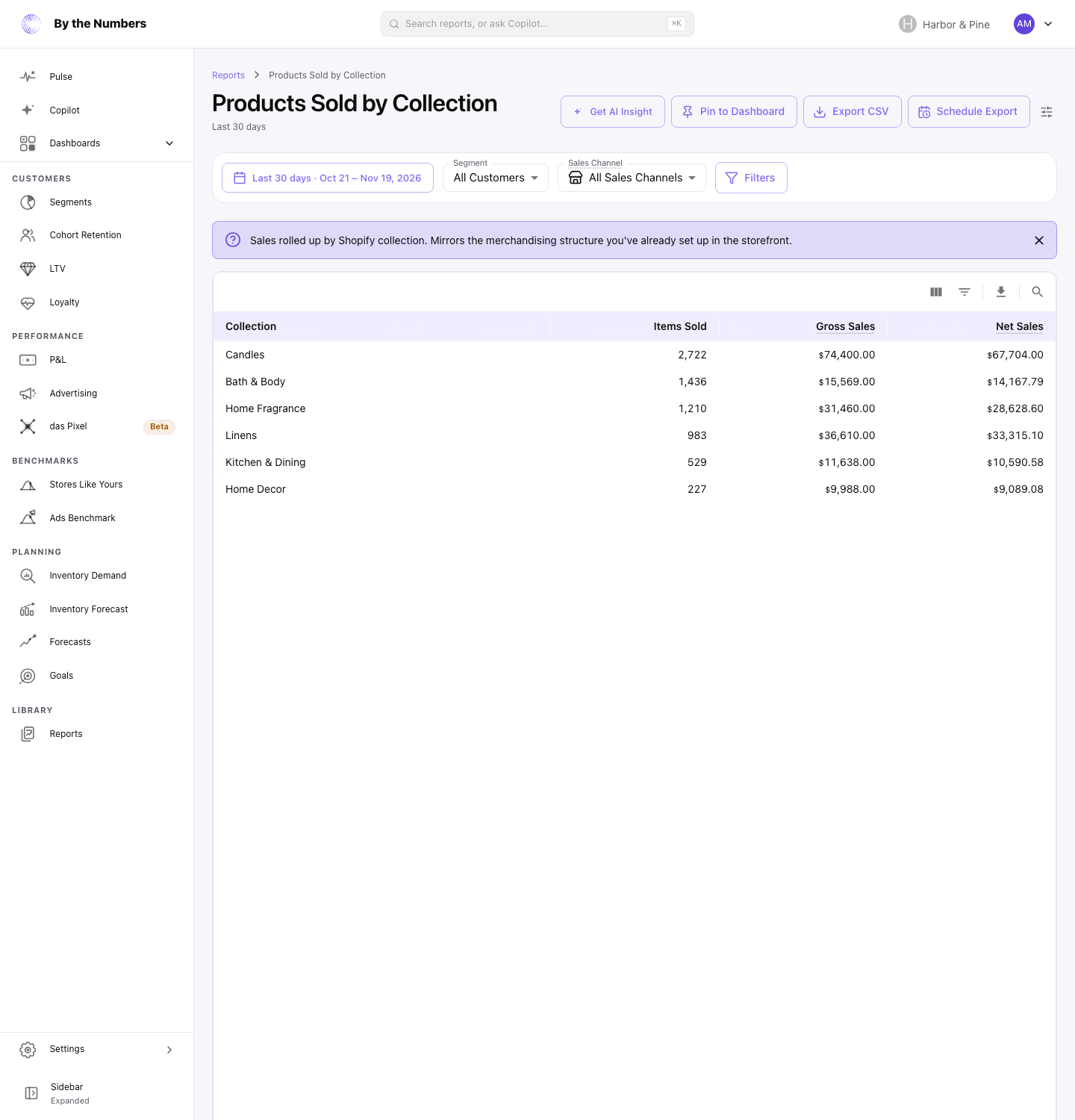
Products Sold by Collection groups the items you sold by the Shopify collections their products belong to, so you can see which collections bring in the most.
How It’s Calculated
Each row is one collection. The columns are:
- Collection: the title of a collection in Shopify.
- Items Sold: the number of items sold in the date range, on products in that collection.
- Gross Sales: each item’s price times its quantity, before discounts, shipping, tax and returns.
- Item Net Sales: Gross Sales minus the discounts Shopify records on those items. It leaves out shipping, tax and returns.
The table lists up to 100 collections, with the highest Gross Sales first.
A product in several collections counts in every one of them. The rows therefore add up to more than your store’s sales, and the report has no totals row.
Products in no collection count under Unassigned. So do items with no product in your product list, such as custom items or products you deleted.
What Counts
- Orders that were canceled, or whose payment was voided or expired, don’t count.
- Refunds and returns aren’t taken off. A refunded item still counts as sold.
- Dates follow your store’s time zone, and amounts are in your store’s currency.
- Collections come from each product as it is now, not as it was when the item sold. If you move a product to another collection, past sales move with it.
- Your product list updates every 8–12 hours on most subscriptions. A collection change can take that long to show: see How Often Is My Data Updated?.
- With a Segment picked, only orders from customers in that segment count. Sales Channel and Filters limit the report to matching orders.
This report has no Compare control and no chart.
What Good Looks Like
There’s no target. The report is as useful as your collections are. If they match how you merchandise your store, such as by season, theme or promotion, the rows answer which part of your catalog sells.
A big gap between Gross Sales and Item Net Sales on a collection means customers bought those items on discount. Compare the gap across collections to see where your discounts go.
What to Do About It
- A large Unassigned row: add those products to a collection in Shopify, so their sales show under a name.
- A collection that sells well: feature it on your home page and in your emails, or look for products you could add to it.
- A big gap between Gross Sales and Net Sales: check Sales by Discount Code to see which codes cost the most.
- A collection that falls over time: run the report for 2 date ranges and compare the rows.
Get AI Insight at the top of the report asks Copilot for a short read of it.
Where to Find It
- Products Sold by Collection: open Reports and look under Products.
- Products Sold by Tag: the same view, grouped by product tag.